
Seven steps from a rough idea to a finished manuscript
You bring what you know. Ghostwriter brings the structure, asks the questions, and writes the draft out of your answers. Here is exactly what happens, step by step.
Download on the App StoreAvailable now on iPhone and iPad. Free to start.
Step 1: Say what your book is about
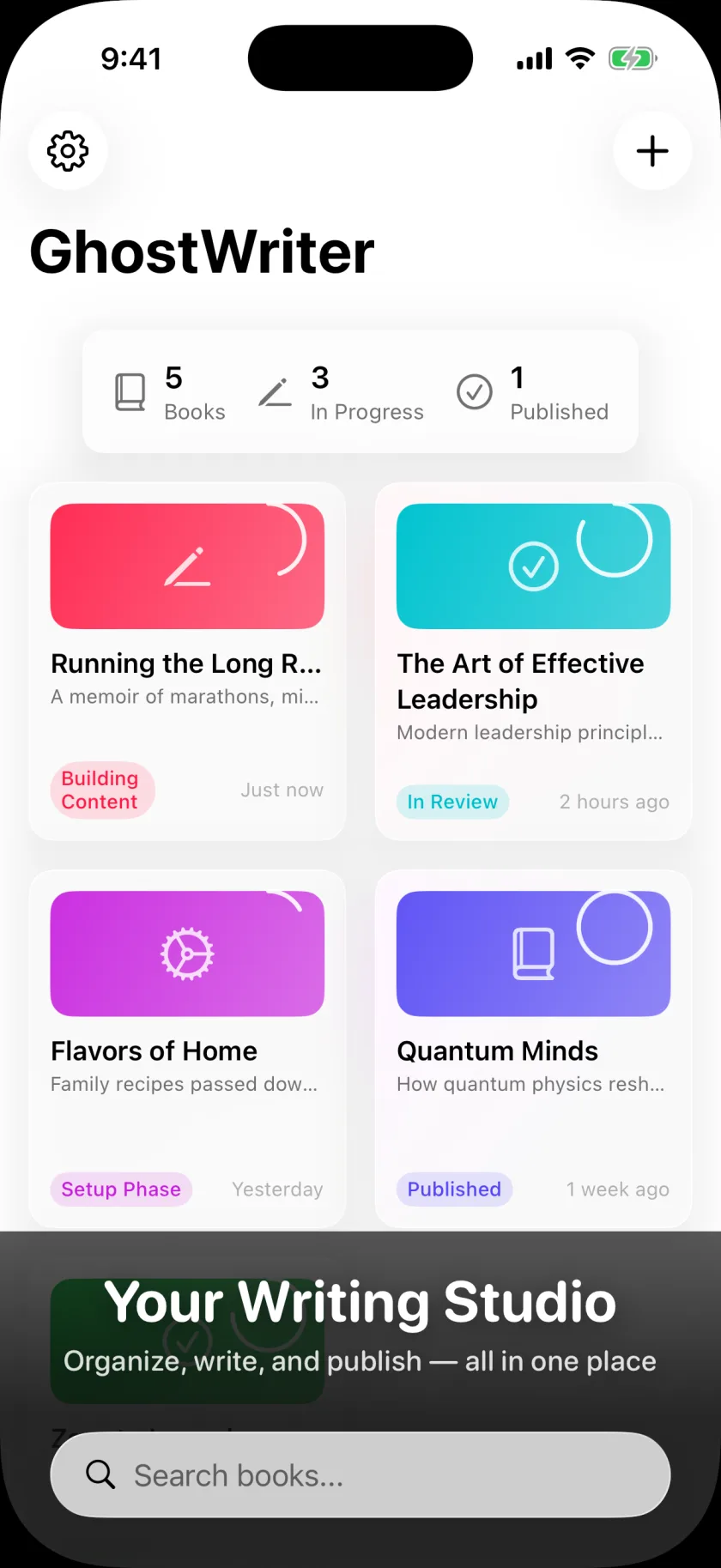
Your home base. Every book begins here — with the part you already have.
Create a book and describe your topic. One sentence or a full page of half-formed ideas — both work. No outline, no plan, no chapter list. If you had those already you wouldn't need us.
The Library is also where every book you're working on lives, each one showing how far along it is, so you always know exactly where things stand.
Already started writing? Import a Word file or PDF instead. Ghostwriter finds the chapters and sections you already wrote — along with the notes and highlights you left in the margins — and rebuilds them as a real structure you can keep working in.
Step 2: Get your table of contents
This is the step you could never do alone at a blank page. It takes about a minute.
Book Structure
- Chapter 1: Why This Matters
- Chapter 2: The Core Framework
- Chapter 3: Real-World Strategy
- Chapter 4: Implementation
Ghostwriter reads your topic and proposes the whole book — parts, chapters, and sections, in order, with titles that mean something. You watch it arrive.
Then it's yours. Rename anything. Drag chapters into a different order. Add the one you know is missing, delete the two that overlap, split a chapter that's doing too much. The structure came out of a paragraph you wrote in thirty seconds; the judgment about it is still entirely yours.
Not happy with the shape of it? Ask for another. Structure is cheap here, which is the whole point.
Step 3: Every chapter gets a brief
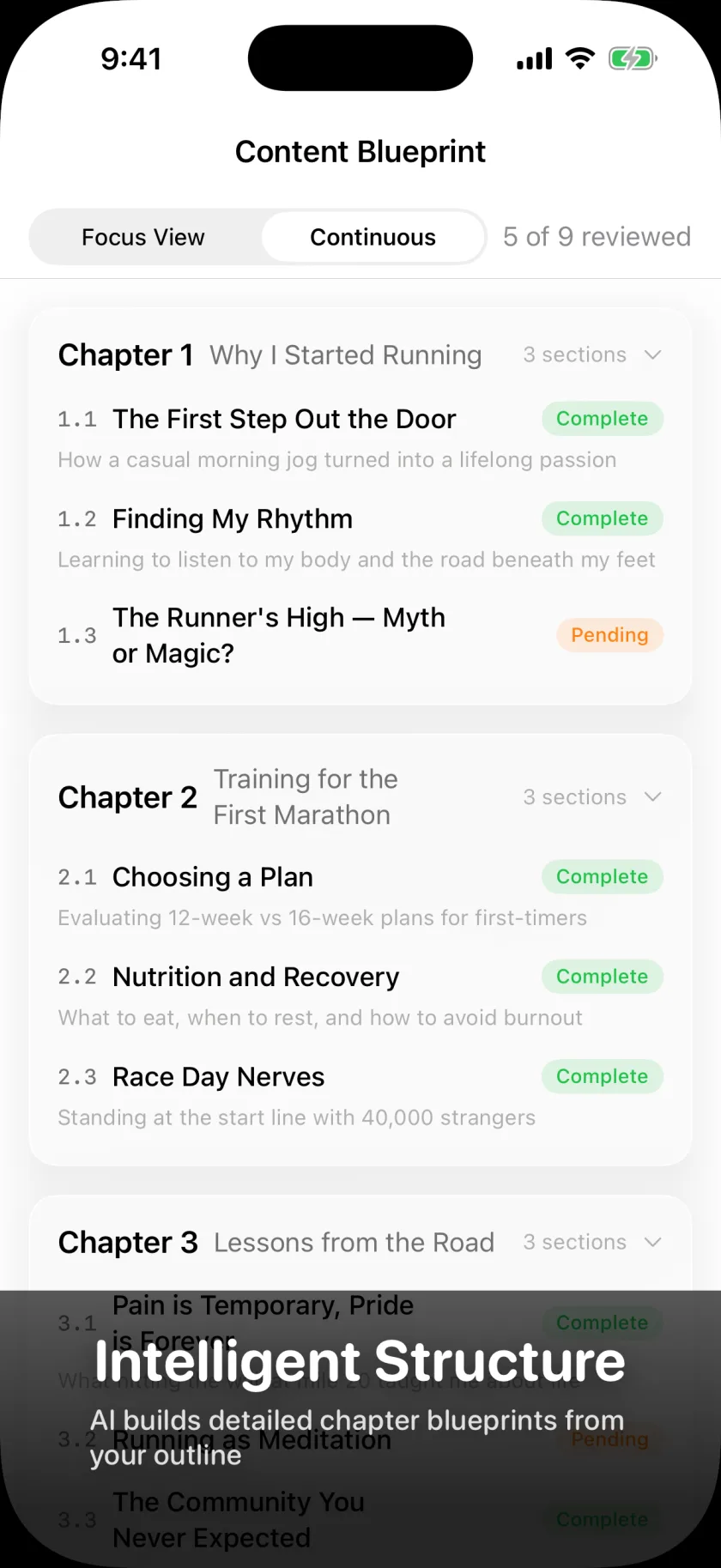
A chapter list is an outline. A chapter list with objectives is a book.
Each chapter comes back expanded: what it has to accomplish, the key points it has to land, the themes running through it, and a specific job for every section inside it.
Review and change anything before you move on. Sharpen an objective, drop a theme, narrow a section that's trying to cover too much ground. The brief is what every later step reads from — the questions you get asked and the draft you get back are both built on it.
This is the step that makes a book a book. You brought fifteen years of knowing what you're talking about; this is the part that was never your job.
Step 4: Answer the questions. Out loud, if you'd rather.
The richest step. However you get your material out of your head, it lands in the right chapter.
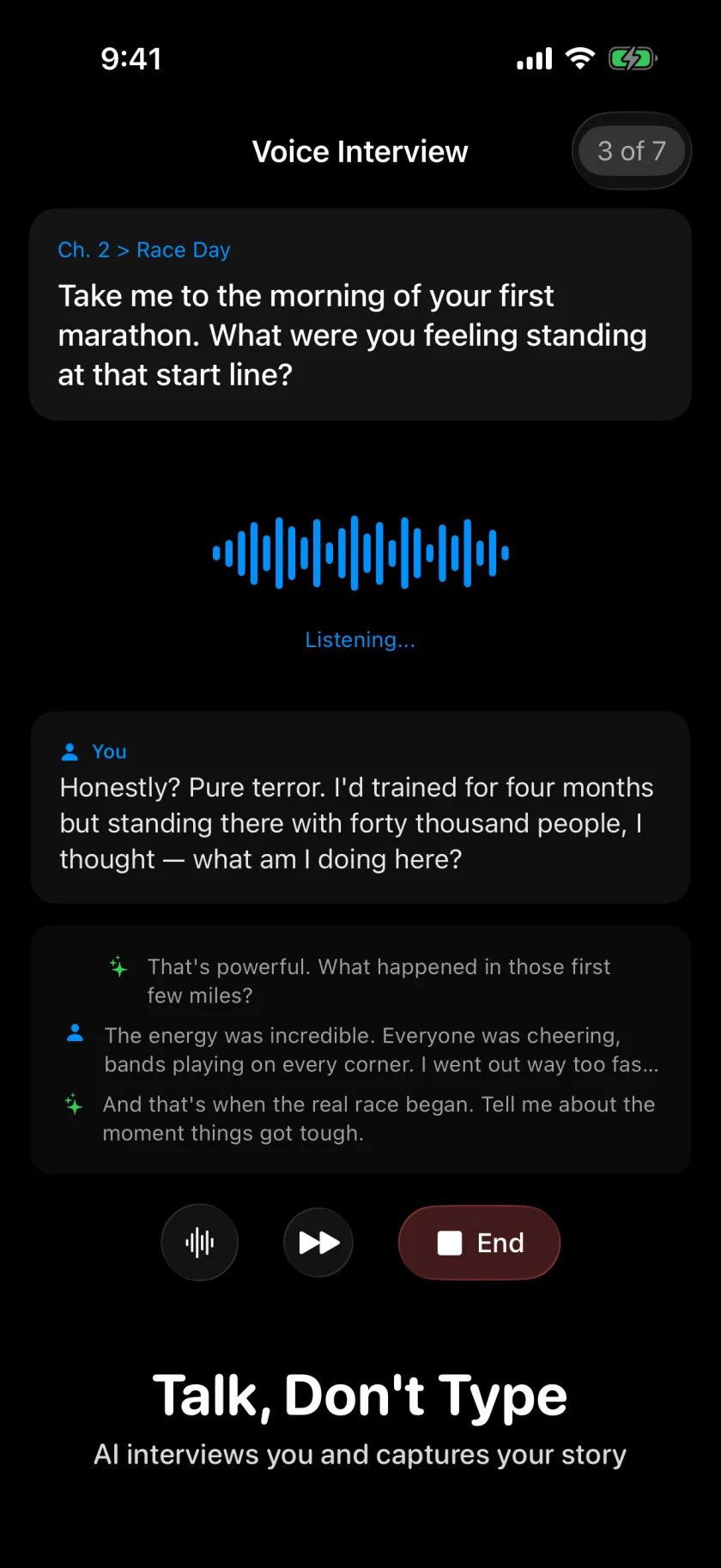
Live voice interviews
A real-time voice conversation. It asks about your chapters using your own briefs, listens, and follows up on the parts worth digging into. Hands-free — answer on a walk, in the car, between meetings.
Typed answers
Type instead, at your own pace. Better for detailed explanations, numbers, and the paragraphs you want to get exactly right the first time.
Audio and video you already recorded
Upload the talk, the podcast, the voice memo. It's transcribed automatically and becomes material your draft can be written from.
Documents and photos
PDFs, research, presentations, spreadsheets, a photo of the whiteboard. Fifteen years of scattered work, finally pointed at one thing.
The questions sound like this:
Step 5: Watch the draft appear
Section by section, in front of you, out of your own material.
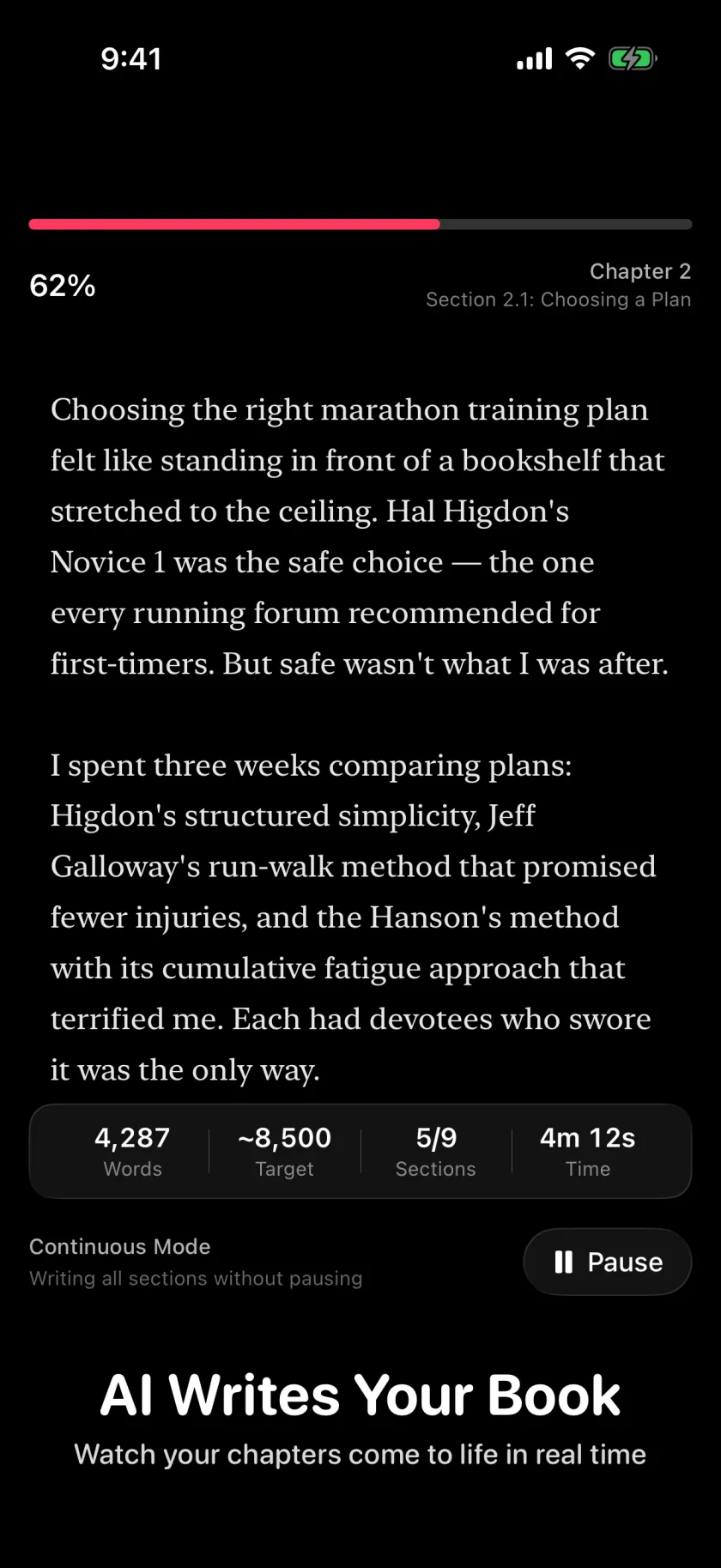
Every section is written knowing where it sits in your book, what the chapter before it argued, what you said in your interviews, and how you set your style dials. That's why chapter nine still sounds like chapter one.
The words appear as they're written — no batch job, no waiting overnight, no wondering whether it understood you. If a section goes somewhere you didn't intend, you find out in the first paragraph rather than in a finished chapter.
Twenty style dials — sentence complexity, formality, humor, metaphor frequency, pacing, sensory detail — shape every word of it. Set once, obeyed everywhere.
Step 6: It's your name on the cover, so it's your call on every paragraph
Nothing reaches your manuscript until you say so.
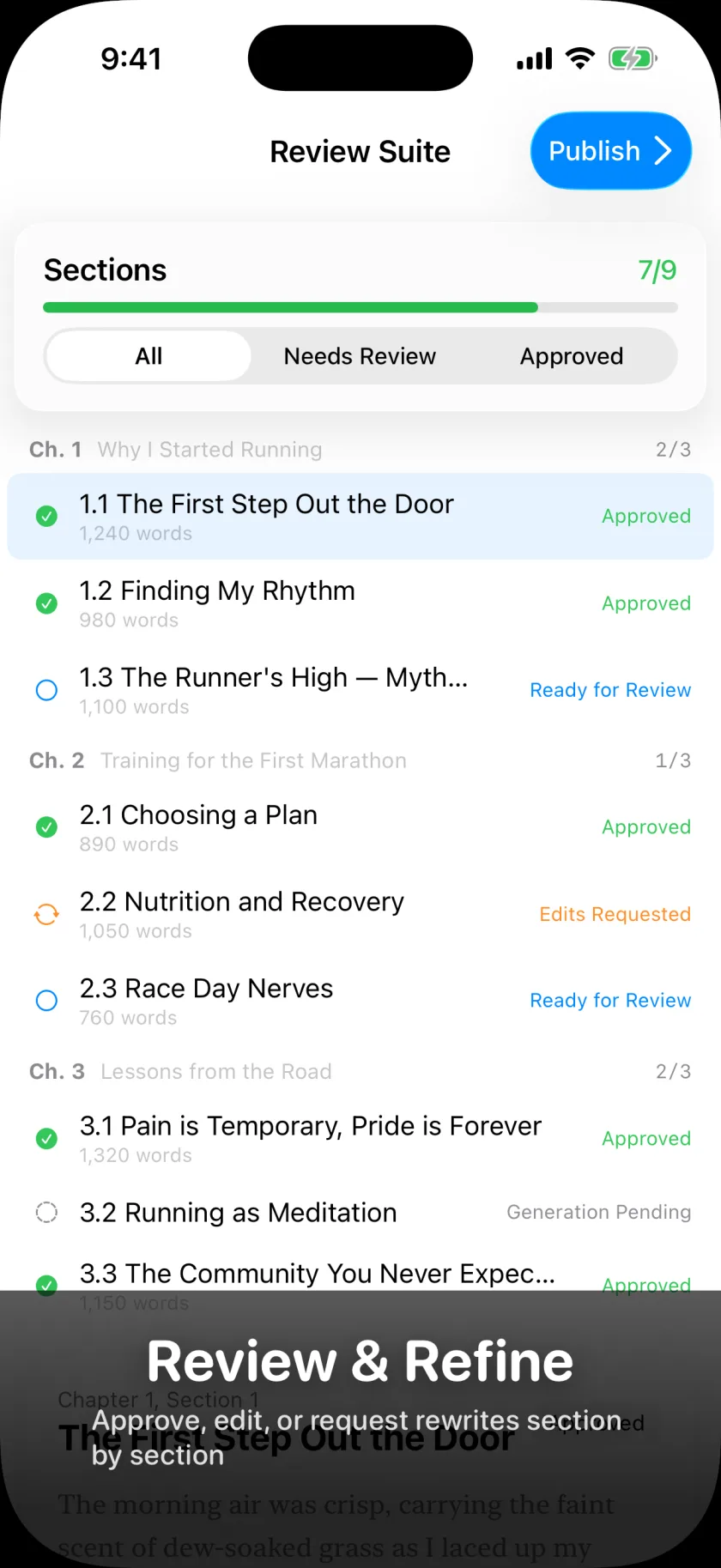
For every section you have three moves:
- Approve — it sounds like you, it goes in the manuscript
- Edit — change it directly in the editor
- Send it back — with a note. "Too corporate." "Use the Denver story instead." "Cut this in half."
Nothing is ever overwritten without a copy of what came before. Rewrite a section ten times and the earlier versions are still there.
A running count tells you how much of the manuscript is finished and what is still waiting on you.
Step 7: Take it with you
Your book leaves in whatever shape the next person needs.
Export Formats
Word for your editor. EPUB for Kindle and Apple Books. PDF for the agent, with a formatted title page, generated table of contents, and chapter headers. Markdown and plain text for everything else.
Page numbers, line spacing, font size, and margins are yours to set before it leaves.
Your book. Your name. Ready for the world.
Start your book today
Ghostwriter is available now on iPhone and iPad. Download it from the App Store and start with free credits — enough to see your full outline, your chapter blueprint, and your interview questions before you spend anything.
Download on the App StoreRequires iOS 26 or later. Free to start; Book Credits are purchased in the app. Mac is on the way.