
Everything You Need to Write a Nonfiction Book
Structure first, then your material, then your voice. Here is what's inside.
The Seven Steps
Each step feeds the next. That order is the product: you can't ask a good question about chapter six until chapter six has a job to do.
Your topic
A sentence or a rambling page. No outline needed.
Your table of contents
Parts, chapters, and sections proposed for you in about a minute — then reordered, renamed, and cut by you.
A brief per chapter
Objectives, key points, and a job for every section.
The interview
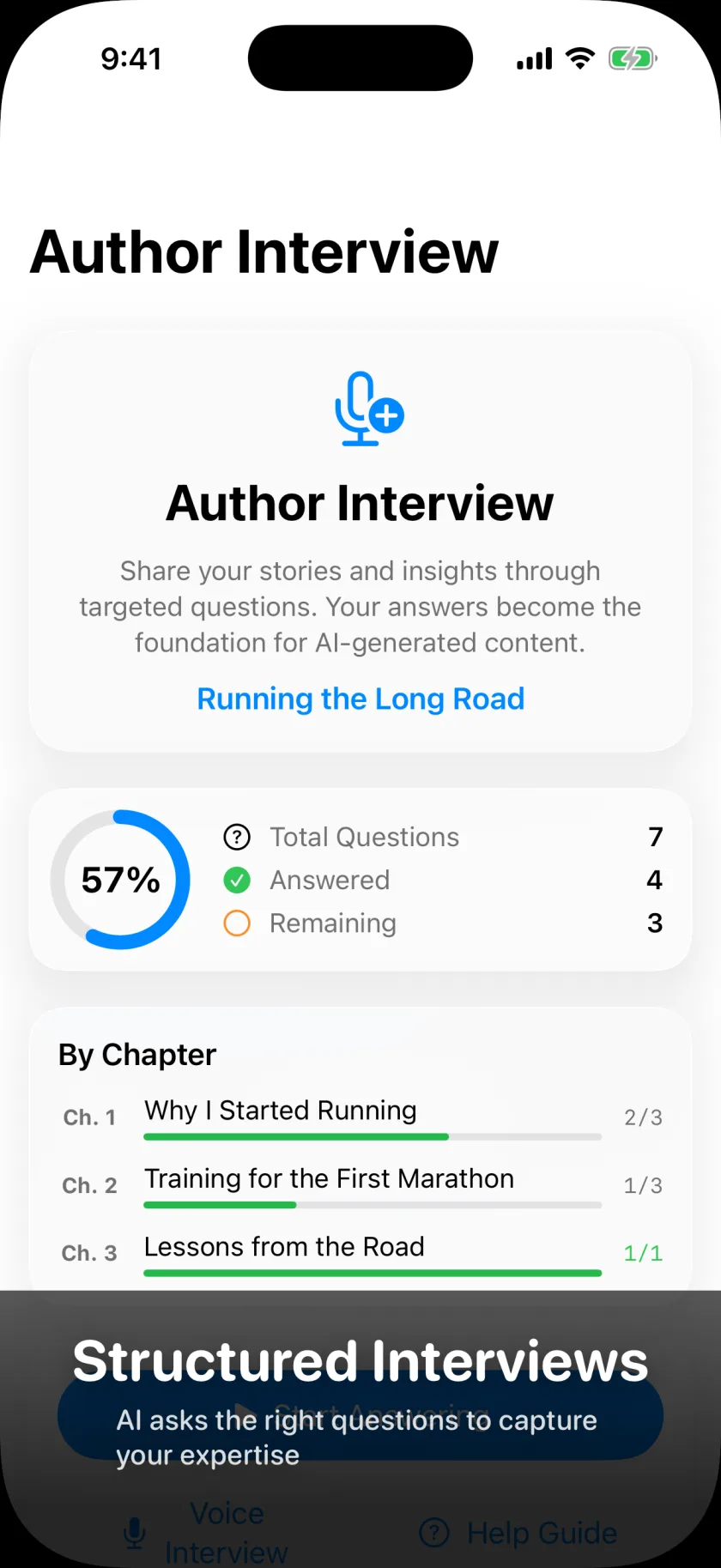
Questions about your chapters, answered by voice, typing, or upload.
The draft
Written in front of you, section by section, from your answers.
Your review
Approve, edit, or send it back with a note.
Export
Word, EPUB, PDF, Markdown, or plain text.
The interview you'd have paid a ghostwriter $20,000 for
A real ghostwriter's method is not magic. They sit you down and ask the right questions until the book falls out of you.
How it works
- A live voice conversation — you talk, it listens and answers back
- Questions come from your own chapter briefs, not a generic list
- It follows up on the interesting parts, the way an interviewer does
- Hands-free: answer on a walk, in the car, between meetings
- Everything is transcribed automatically and filed to the right section
Why it works
That is what happens here — except it's on your schedule, it never gets tired at question forty, and it already knows what chapter six needs.
Talk in the car. Talk between meetings. Talk badly, in the wrong order, with digressions. That's what the raw material of a good book actually sounds like.
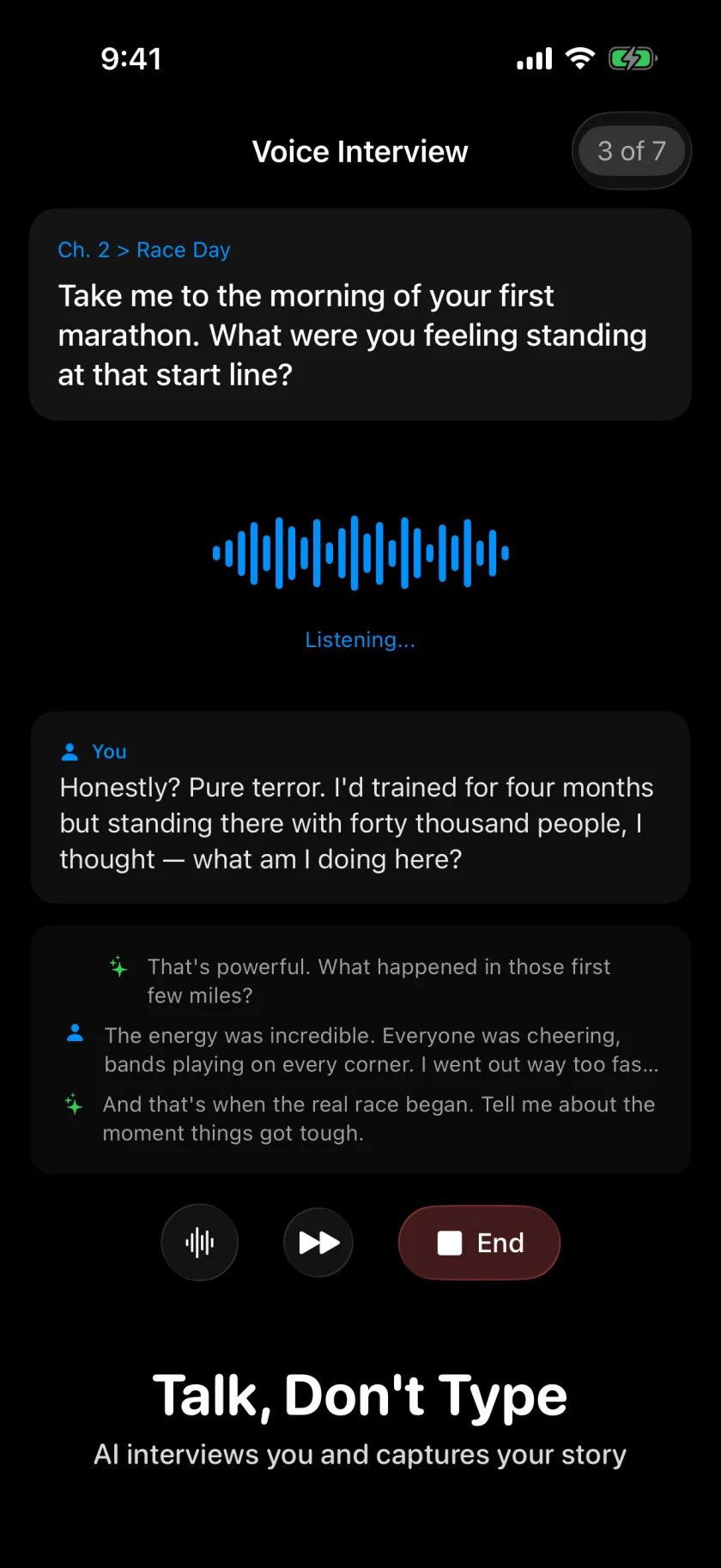
And you can run the whole app by talking to it
Voice isn't only for the interview. Every step has a companion you can just talk to.
"Move chapter seven ahead of five."
Reorder, rename, split, and merge your structure out loud while you're pacing the room.
"What's left in chapter three?"
Ask where the book stands, which sections have no answers yet, and what to do next.
"Rewrite that section, less corporate."
Drive drafting and review by voice, on every platform — iPhone, iPad, and Mac.
Anything destructive stops and asks
Ask it to delete a chapter and it stages the change and waits for you to tap Confirm on screen. Your voice can start a deletion; only your finger finishes one.
The first draft shouldn't sound like a chatbot
Twenty dials. Set them once. Every section obeys them. Then read a section and adjust — most authors take three passes to find their setting, and after that the drafts start sounding like the thing they'd have written on a good day.
All twenty dials
Sentence complexity
Vocabulary sophistication
Tone formality
Humor level
Metaphor frequency
Idiom frequency
Descriptive detail
Sensory detail
Pacing speed
Action intensity
Emotional depth
Dialogue balance
Dialogue tags
Exposition balance
Cultural references
Symbolism usage
Foreshadowing
Flashback usage
Cliffhanger frequency
Character introspection
Or start from a preset
Pick the voice closest to yours and fine-tune from there:
- Journalistic — objective, clear, reported
- Technical — precise and instructional
- Academic — formal, analytical, careful
- Commercial — accessible and story-driven
- Literary — layered and reflective, for memoir
- High-tension — fast pacing for narrative nonfiction
Ghostwriter is built for nonfiction. The narrative presets are here because memoir and story-driven business books borrow a novelist's pacing — not because we're pretending this writes novels.
Screenshot of the style controls coming soon.
You already wrote a lot of this
The keynote deck. The client memo. The podcast someone transcribed. The forty voice notes. Hand it all over and it becomes source material for the chapters it belongs to. Fifteen years of scattered work, finally pointed at one thing.
PDFs
Research, reference books, reports, the deck you present every quarter. Read and drawn on where relevant.
Audio
Record in the app or upload what you already have. Transcribed automatically into usable material.
Video
Upload a recorded talk or workshop. The audio is extracted and transcribed for you.
Photos
The whiteboard, the diagram, the sketch on the napkin. Attach it where it belongs.
Documents
TXT, RTF, CSV, JSON, XML, and Markdown are all parsed and made available as context.
50 MB per file
Long recordings, big research documents, and detailed presentations all fit.
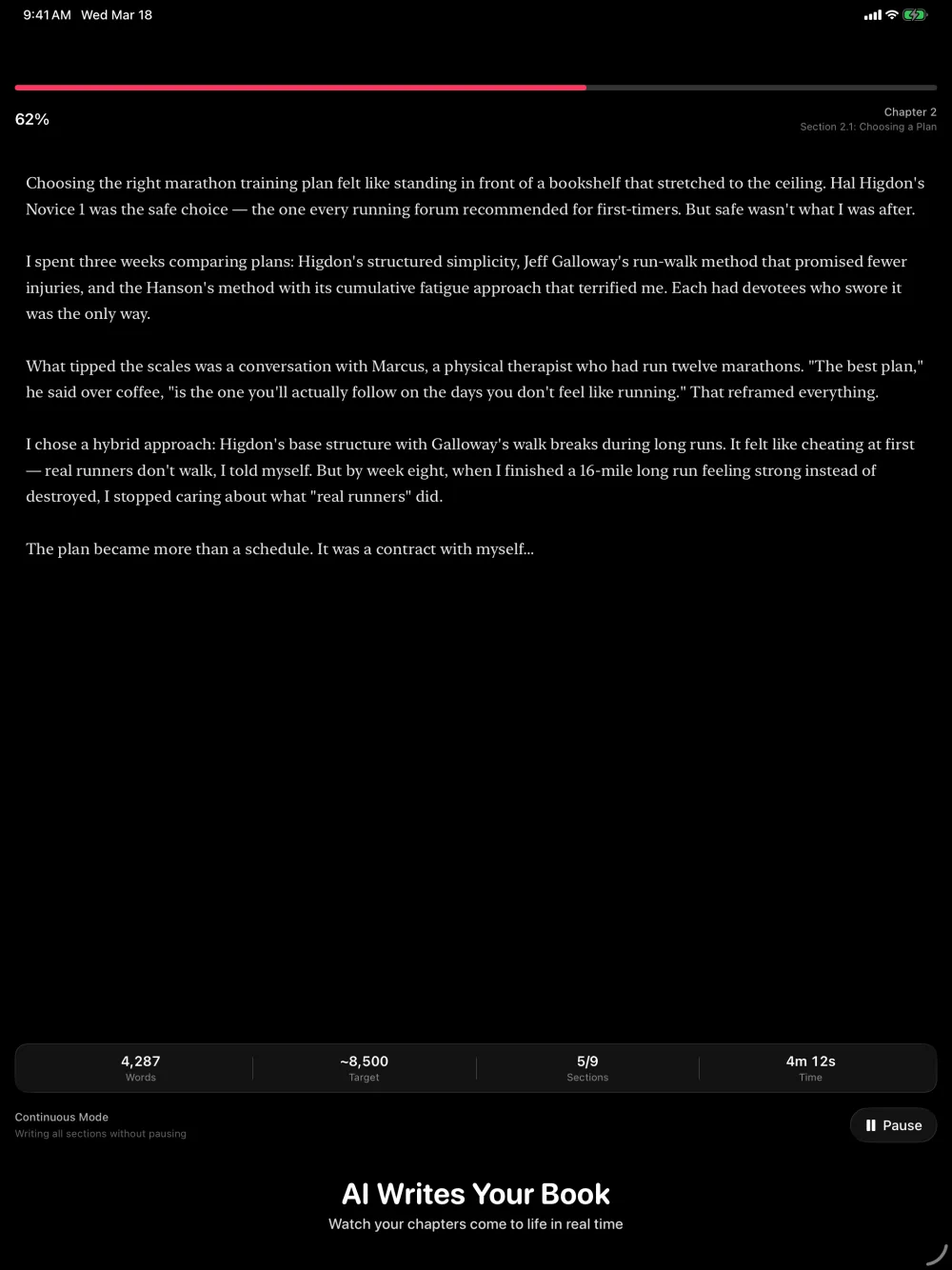
Watch the draft appear
Section by section, in front of you. No batch job, no waiting overnight, no wondering whether it understood you.
Why it holds together
Every section is written knowing where it sits in your book, what the chapter before it argued, what you said in your interviews, and how you set your style dials. That's why chapter nine still sounds like chapter one.
Why you watch it happen
Sections generate live, one at a time, so you can react as you go instead of waiting for a whole chapter to land wrong.
If a section heads somewhere you didn't intend, you find out in the first paragraph. The draft is the machine's; the judgment is yours.
Already have half a draft?
Thirty thousand abandoned words is not a failed book. It's a first pass with no scaffolding under it.
Bring the Word file
Ghostwriter reads your DOCX, finds the chapters and sections you already wrote, and rebuilds them as a real structure you can keep working in.
Or the marked-up PDF
The highlights, strikethroughs, and margin notes your editor left come in as reviewable edits. You decide which ones to apply before the structure is built.
Then fill the gaps
Once your draft has a structure, Ghostwriter can show you what's thin and interview you to finish it — rather than starting you over.
It's your name on the cover, so it's your call on every paragraph
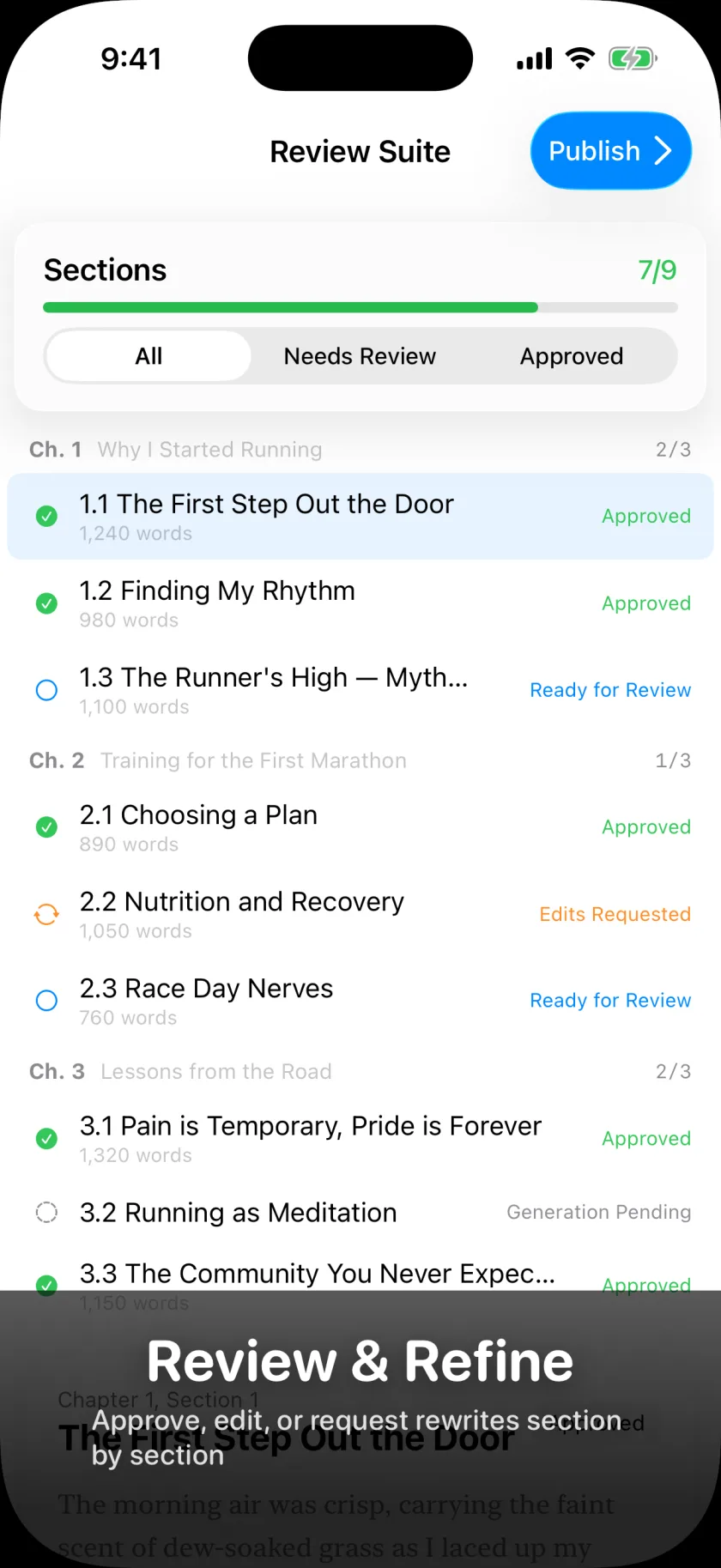
Approve a section, edit it directly, or send it back with a note — "too corporate," "use the Denver story instead," "cut this in half." Nothing reaches your manuscript until you say so, and nothing is ever overwritten without a copy of what came before.
Approve
It sounds like you, it goes in the manuscript. That's the whole ceremony.
Edit
Change wording, add a paragraph, cut a tangent. Your edits save as you type.
Send it back
Say what's wrong in plain language and get another pass built on your note — with the old version still on file.
Know where you stand
See at a glance which sections are approved, pending, or waiting on you.
Your words don't get overwritten. Ever.
Every answer you give is saved the moment you give it, kept in version history, and recoverable if you change your mind. When AI rewrites a section, the previous version is preserved first. Delete a chapter and your interview answers aren't destroyed — they're moved, labeled with where they came from, and re-attachable later.
Anything destructive stages first, waits for a human tap, and ships with an Undo. Your interview answers are the most valuable thing in the app, and they are treated that way.
We built it this way because we've watched what losing a chapter does to an author.
Manuscript Editor
A professional split-view editor for when you want to stop reviewing and just write.
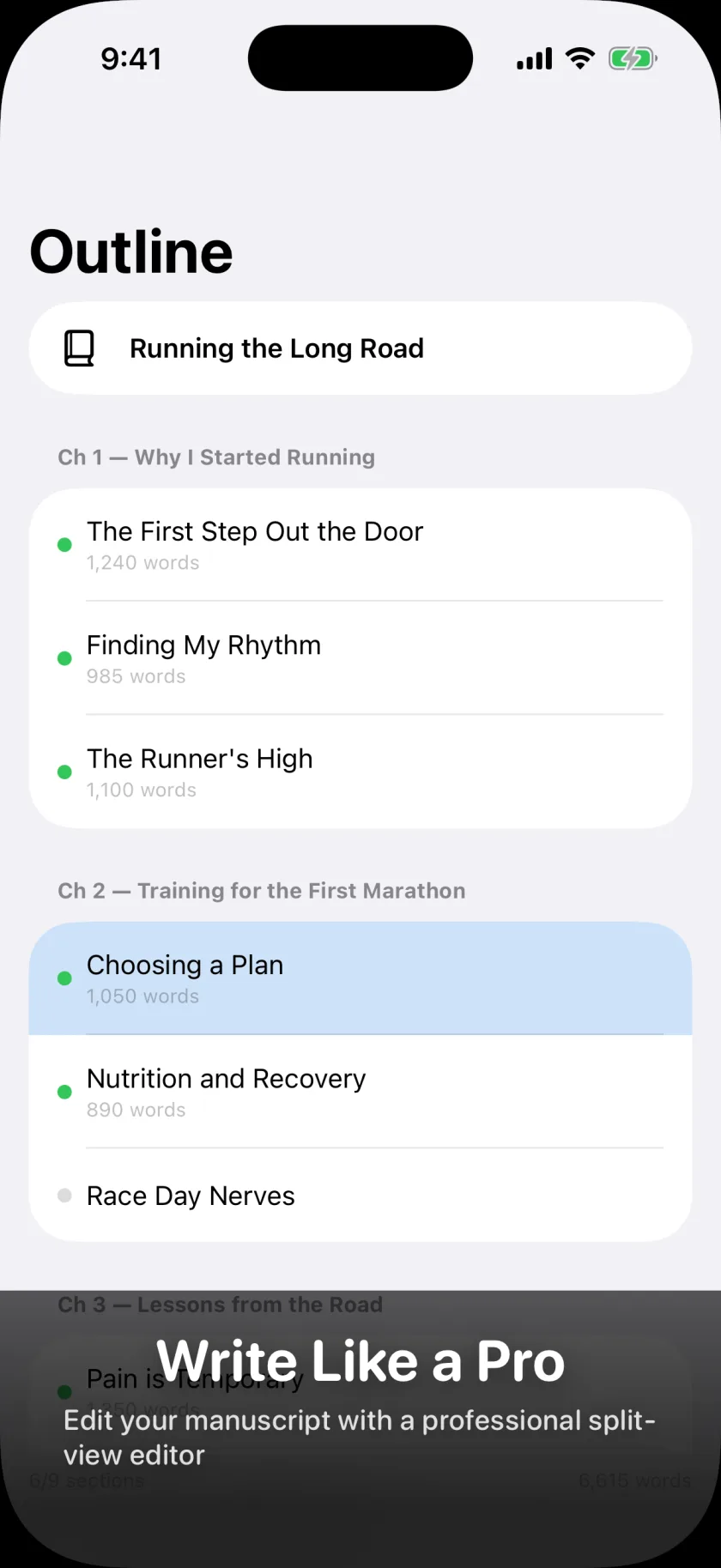
Outline + editor
A Scrivener-style split view with your book structure on the left and a focused text editor on the right. Click any section to jump straight to it, and always know where you are in the book.
- Persistent breadcrumb: current chapter, section, and word count, always visible
- Section navigation: Previous and Next always in reach. Jump between sections instantly.
- Move content between sections: write past a section boundary and push the overflow forward in one tap
- Keyboard shortcuts: Cmd+Shift+Up/Down between sections, Cmd+F to find and replace
Editing tools
- Auto-save: every edit saves on its own a couple of seconds after you stop typing
- Markdown formatting: bold, italic, blockquotes, and sub-headings from a one-tap toolbar
- Find and replace: search within a section, case-sensitive matching, replace all
- Conflict resolution: if someone else edited the same section, you get a side-by-side comparison and pick the version that survives
- Edit everything: book title, chapter titles, section titles, and body text, all inline
Collaboration and Coaching
Invite the right people at the right level. Everyone stays in sync, and no one sees more than they should.
Five collaboration roles
- Co-Author: full editing and writing access
- Editor: edit content and structure
- Reviewer: read and comment
- Contributor: add material and answers
- Viewer: read-only access
Granular permissions per role keep your project organized and your draft safe.
A dashboard for book coaches
If you coach authors, you get one view of every author assigned to you — who's stuck at chapter three, who hasn't opened the app in nine days — before your next check-in, not during it.
Your authors keep their own clean writing space. You get oversight without reading over their shoulder. One person can be both an author and a coach and switch between the two.
Every device you own
iPhone, iPad, and Mac — the same app, not a cut-down companion. Start a chapter on your phone during a commute, finish it on your Mac at home. Collaborators see updates as they happen.
Sign in with Apple
No passwords, no account creation hassle. Your identity stays private — collaborators see only the name you choose to share. And you can buy a Book Credit before you ever sign in.
Take it with you
Your finished manuscript leaves in whatever shape the next person needs — self-publishing platform, literary agent, or your editor.
Professional layout with title page, table of contents, chapter headers, and configurable fonts, margins, and page numbers.
EPUB 3.0
For Kindle, Apple Books, and other e-readers. Standards-compliant and ready for digital distribution.
Word (DOCX)
What most publishers, agents, and editors expect to receive. Clean formatting that opens straight into Word.
Markdown
For digital publishing and CMS workflows. Clean, portable markup that works everywhere.
Plain text
Universal compatibility. No formatting dependencies, just your words.
And a copy of everything
Separately from your manuscript, you can export a full archive of your account — books, chapters, sections, and every interview answer — as a zip file, any time you want.
Always know what's left
The finish line stops being a guess.
Step completion
Which steps are done, which is in progress, which hasn't started. Per book.
Word count
Live word count and section progress. Watch the manuscript grow as sections land and get approved.
Interview coverage
Which chapters have your answers and which are still waiting on you before drafting starts.
Review status
Approval rates across every section, so you know what's finished and what needs one more read.
Session tracking
How your writing sessions translate into manuscript progress — useful when the book feels like it isn't moving.
Start your book today
Ghostwriter is available now on iPhone and iPad. Download it from the App Store and start with free credits — enough to see your full outline, your chapter blueprint, and your interview questions before you spend anything.
Download on the App StoreRequires iOS 26 or later. Free to start; Book Credits are purchased in the app. Mac is on the way.